
Before someone calls a roofer, a cleaner or a plumber, they usually check them out online. And they decide fast. BrightLocal's 2026 survey found 75% of consumers pick a local business in under 30 minutes.
If your page looks dead in those 30 minutes, you're not in the running. You'll never even know you lost the job.
I've looked at more than a thousand business pages. Most service businesses make the same handful of mistakes, and most of them take an afternoon to fix.
This checklist walks you through the exact audit I run for clients, step by step. The full checklist is at the end, so you can do it yourself today.
What should a social media audit check?#
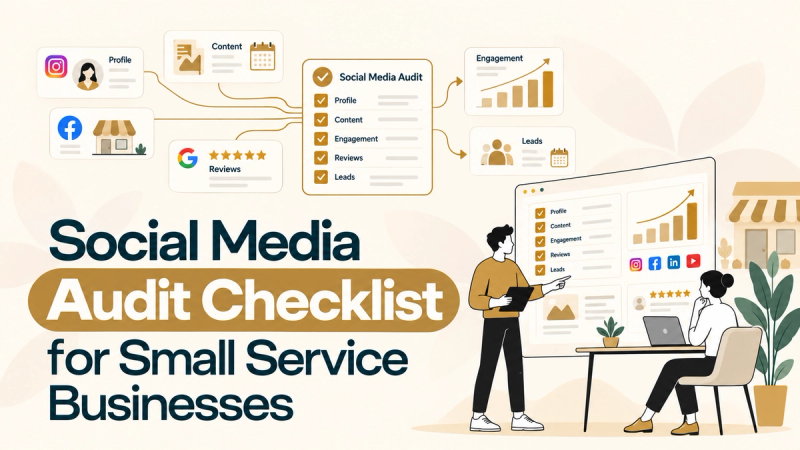
A social media audit checks six things: who controls your accounts, whether your profiles explain what you do, what your content is doing, whether you answer people, whether social brings real inquiries, and how you stack up against local competitors.
It's not a beauty contest. A pretty page that nobody can contact is still a dead end.
Here's the order I work in:
- Accounts and access
- Profile check
- Content review
- Messages, comments and reviews
- Results and tracking
- Competitors and platforms
The 3 second test#
Every audit I run starts with one question: if a stranger lands on your page, do they know what you do within three seconds?
That's my personal rule, not a scientific law. But it works. In those first seconds they should get your service and your area. Then, as they scroll, they should think, "These people look professional. Even if they charge a bit more, they're probably worth it."
If your page doesn't pass that, nothing else on this list matters yet.
Why your social page matters even if people find you on Google#
Most local searches start on Google. BrightLocal found 52% of consumers started their latest local search there, but 30% also checked social media along the way. So your Facebook page is often the second impression, right after Google. IF THE SECOND IMPRESSION LOOKS ABANDONED, THE FIRST ONE DOESN'T SAVE YOU.
Step 1: Find every account and check who controls it#
List every profile your business has, including old and duplicate ones, then confirm the business owns each one and the right people have access.
This sounds boring. It's the step that saves you the most pain. I've found forgotten pages, duplicate accounts or lost logins with four or five clients. An old page from a previous employee sitting next to the real one is common. To a customer, it looks like your business has an evil twin living in the Upside Down.
Search your business name, old names and common misspellings on each platform. Write down every result, along with who owns it and who has access.
Should you start a new page if you lost access to the old one?#
Try to recover the old one first. It may hold years of followers, reviews and photos. If recovery is truly impossible, start fresh with the business as owner from day one, and point all your links to the new page.
The access mistake almost everyone makes#
Meta access is a maze. I've had clients give me Business Suite access, then their password, and I still couldn't do everything on the Facebook Page itself. One client last week hit the same wall, and Instagram wanted a code sent to an email they couldn't share.
The fix that works: the owner goes to the Facebook Page itself and adds the marketer from the Page's own access settings. That's how you get proper admin control.
And please don't hand out your personal Facebook, Instagram or Gmail password. Give people access through the platform, keep ownership with the business, and turn on two factor authentication.
Step 2: Check your profile like a stranger would#
Open your page in a browser where you're logged out, or on a friend's phone. You want to see what customers see, not the admin view.
The most common problems I find are broken contact details and missing links. Branding is usually the worst part. Plenty of service businesses have pages that look tidy from far away and fall apart up close, like Monica's secret closet.
Check these:
- Logo. Current, and readable at profile picture size.
- Cover image. Shows your actual work, not a stock photo of a smiling handshake.
- Bio. Says what you do, where you work and who you help, in plain words.
- Contact details. Phone, email and website are correct and identical on every platform.
- Links. Website and booking links open properly on a phone. Tap them yourself.
- Hours and service area. Listed and up to date.
- Action button. Call, Message or Get Quote is set up and goes somewhere that works.
- Pinned post. Current, not last year's holiday special.
None of this needs a designer or a big budget. If you're paying people to grow your brand but your phone number is wrong, fix the phone number first.
Step 3: Review the last two to three months of content#
Go back two to three months and sort every post into a category. Then look at which categories bring clicks and messages, not just likes.
If you work in a seasonal trade like roofing or landscaping, compare against the same season last year when you can. Otherwise a normal winter dip looks like a strategy problem.
The content categories that work for service businesses#
I test a lot of content, and I keep score by which posts send people to the page and get clicks on the links. These categories keep winning:
| Category | Why it works |
|---|---|
| Reviews | Shows real results. People stop scrolling for a transformation. |
| Myth busting and facts | People love learning something they got wrong. It makes them read. |
| Reviews | A happy customer saying it beats you saying it. Readers think, "If I have this problem, I'll call them." |
| Pain points | Speaks to the exact problem a customer has right now. |
| Trends | When a trend fits your service, ride it. It's entertaining and feels fresh. |
All promotion, all the time, gets you nowhere. People already see hundreds of service ads. You need to look different.
Match the format to the platform#
Posting the same thing everywhere is easy, but each platform rewards something different. In my experience:
- Facebook. A single image that tells the whole story at a glance. People scroll fast. Even if they don't stop, they remember your name.
- Instagram and LinkedIn. Carousels do well.
- Threads and X. Short written posts work, with or without images.
What to stop posting today#
- Bland job site snapshots. A blurry photo of a ladder with no design and no message.
- Linkdumping. Auto sharing every blog post straight to your page. It reeks of promotion. Instead, make a proper post about the topic and put the link inside it.
You don't need a design team. Canva and ChatGPT can help you make decent graphics and captions quickly. Just never use AI to invent reviews or customers. The FTC's rule on fake reviews and testimonials took effect in October 2024, and it covers made up and AI generated reviews.
Step 4: Check your messages, comments and reviews#
Open your inbox and scroll back two to three months. Look for questions nobody answered. On almost every page I take over, I find some.
Not every one is a lost job. Some are spam, some got sorted another way. But some are real people who wanted a quote and gave up.
I reach out to those, even months later. Something like:
"Hi, sorry we missed your message. We were sorting out our page. Did you get the issue fixed? If not, we can send someone over for a free inspection."
It feels awkward. It can also win back jobs you thought were gone.
Then check the rest#
- Comments. Is anyone replying? A question left hanging in public tells everyone else you don't answer.
- Reviews. Thank every happy reviewer. Answer unhappy ones calmly and politely.
- After hours. Set an instant auto reply so people know you got their message. Keep it honest: confirm you received it and say when a real person will reply.
How fast should you reply?#
My rule: within 10 to 20 minutes during business hours, and never more than an hour. That's my standard, not an official one. BrightLocal found 72% of consumers look at three or fewer businesses before choosing one. When you're one of three, being first to reply matters.
Step 5: Check whether social media brings real customers#
Likes don't pay the bills. Track the path from a post to a message, call or form, and from there to a booked job.
Here's which numbers to look at, depending on what you want social to do:
| Goal | Main number | Supporting numbers |
|---|---|---|
| Get seen locally | Reach or views in your service area | Shares, follower growth |
| Build trust | Meaningful comments and saves | Reactions, profile visits |
| Send traffic | Link clicks to your site | Click through rate |
| Get leads | Messages, calls and quote requests | Form fills, booking clicks |
| Make money | Booked jobs from social | Average job value |
Followers and likes still count. They're just supporting actors, not the main character.
The simple tracking setup#
- Tag your links. Add UTM tags to every link you post, like
yoursite.com/quote?utm_source=facebook&utm_medium=social&utm_campaign=roof_inspection. Google Analytics will show those visits separately. - Ask every new lead how they found you. Write the answer down. A simple sheet is fine.
- Connect leads to jobs. At the end of each month, count how many booked jobs started on social.
Tracking will never be perfect. Someone might see your post on Facebook, then call you three days later after googling you. That's why the "how did you hear about us?" question matters so much.
Step 6: Check your competitors and your platforms#
Pick three to five local competitors going after the same customers. Look at what they post, how often, and what people say in their comments.
For each one, note:
- Follower count and how fast it seems to be growing
- Which content categories they use
- Reactions and comments per post, and what the comments actually say
- What they do well that you don't
- What they skip that you could own
One honest limit: you can see their likes, not their sales. A competitor with big engagement might still get fewer calls than you. Use them for ideas, not as a scoreboard.
Should you be on every platform?#
My take: claim your business name on every major platform and keep each profile accurate. That protects your brand and lets people find you wherever they look. But put your real effort into the one or two platforms where your customers are.
For most local service businesses, that starts with Facebook. Pew found 71% of US adults use Facebook, and local groups and community pages give you a place to show up and help. Once Facebook is working, add Instagram, especially if you can film short videos of your work.
If your work is very visual, like landscaping or remodeling, Instagram may deserve more attention earlier. Go where your customers are, not where the advice blog says.
And if you'd rather hand it off, here's how I run social media marketing for service businesses.
What this looks like in real life#
I took over Facebook for a home services company after their previous manager left. The page was bland. Plain photos, no design, nothing that made you stop.
So I started making proper designed posts in Canva and built the content around the categories above: before and afters, myth busting and real reviews. Then I kept testing what got people clicking.
In one 28 day stretch, the page hit 160K+ views and reached 40,153 people. Those are views and reach, not leads. But for a page that was barely alive, it was a very different business to look at.
What should you fix first after your audit?#
If you can only fix three things, fix these, in this order:
- Your profile and contact path. Correct links, phone, email, images and a working action button. If people can't reach you, nothing else matters.
- Your branding. Logo, cover and post design that look like a business someone would pay.
- Your content categories. Pick three or four that fit your service and post them on rotation.
Give each fix an owner and a deadline. Then rerun the audit about a month later to see what moved.
The full social media audit checklist#
Work through this list one platform at a time. Tick what passes, and write down anything that needs fixing.
Accounts and access#
- Every account listed, including old, duplicate and inactive ones
- The business owns each account, not a past employee or agency
- Admin list reviewed, and people who left are removed
- Marketers get access through Page settings, never shared passwords
- Two factor authentication is on
Profile (the 3 second test)#
- Logo is current and readable as a profile picture
- Cover image shows your real work, not a stock photo
- Bio says what you do, where you work and who you help
- Phone, email and website match on every platform
- Website and booking links work on a phone
- Hours and service area are listed
- Call, Message or Get Quote button is set up and tested
- Pinned post is current
- A stranger knows what you do within 3 seconds
Content#
- Last 2 to 3 months of posts reviewed
- Posts sorted into categories: before and afters, reviews, myths, pain points, tips, offers
- A mix of formats: images, video, and carousels where they fit
- Posts show real completed work
- Graphics are designed, not bland job site snapshots
- No linkdumping of blog posts
- Format matches each platform
- Sales posts have a clear next step
Messages, comments and reviews#
- Every DM from the last 3 months checked
- Old unanswered inquiries followed up
- Comments replied to
- Reviews thanked or answered
- Instant auto reply set for after hours
- Reply time target set: 10 to 20 minutes in business hours
Community#
- Joined relevant local groups and communities
- Helping people there and following each group's rules
Results and tracking#
- Links in posts use UTM tags
- Every inquiry is logged with where it came from
- You know which content category brings clicks and inquiries
Trust#
- Testimonials are real and used with permission
- Customer and project photos used with permission
Competitors#
- 3 to 5 local competitors reviewed
- Their content categories, engagement and gaps noted
Wrap up#
- Three priority fixes chosen, each with an owner and a deadline
- Next audit date set
FAQ#
How long does a social media audit take?#
A quick look at one profile takes under an hour. A proper audit of two or three platforms, with competitors and a written report, takes me about a day. Bigger businesses can take two.
How often should a small business audit its social media?#
Rerun it about a month after you make your fixes, so you can see what changed. After that, a full audit every few months keeps things from slipping.
Can I do a social media audit for free?#
Yes. Your platforms' own analytics, a phone, and the checklist above are all you need. Paid tools help at scale, but a small business doesn't need them to start.
What's the most important thing to check?#
Whether customers can contact you. A broken link or wrong phone number costs you jobs no matter how good your posts look.
Should I delete old social media accounts?#
Only after you've tried to recover them. Old pages can hold reviews and followers. If you can't get back in, make sure your website and other profiles only link to the page you control.
Want me to audit your page for free?#
If you'd rather have someone else look, I'll audit your social media for free. I go through your profiles, content, inbox and competitors, then send you a written report of what's wrong, what to fix, and what to post. When I have time, I add a few example post templates too.
A month after you've made the changes, I'll check it again for free so you can see what moved.
Get your free social media audit. Send me your page links and what's bugging you. Call, email or a quick message all work.

Zain Ul Abdin is a full-stack marketer who helps startups and service businesses grow through SEO, content strategy, social media, Reddit marketing, and go-to-market strategy. His work has helped businesses and projects reach 100K+ users, generate 50M+ search impressions, and achieve 100M+ Reddit impressions. He shares practical marketing insights based on real projects and experiments.
More articles by Zain